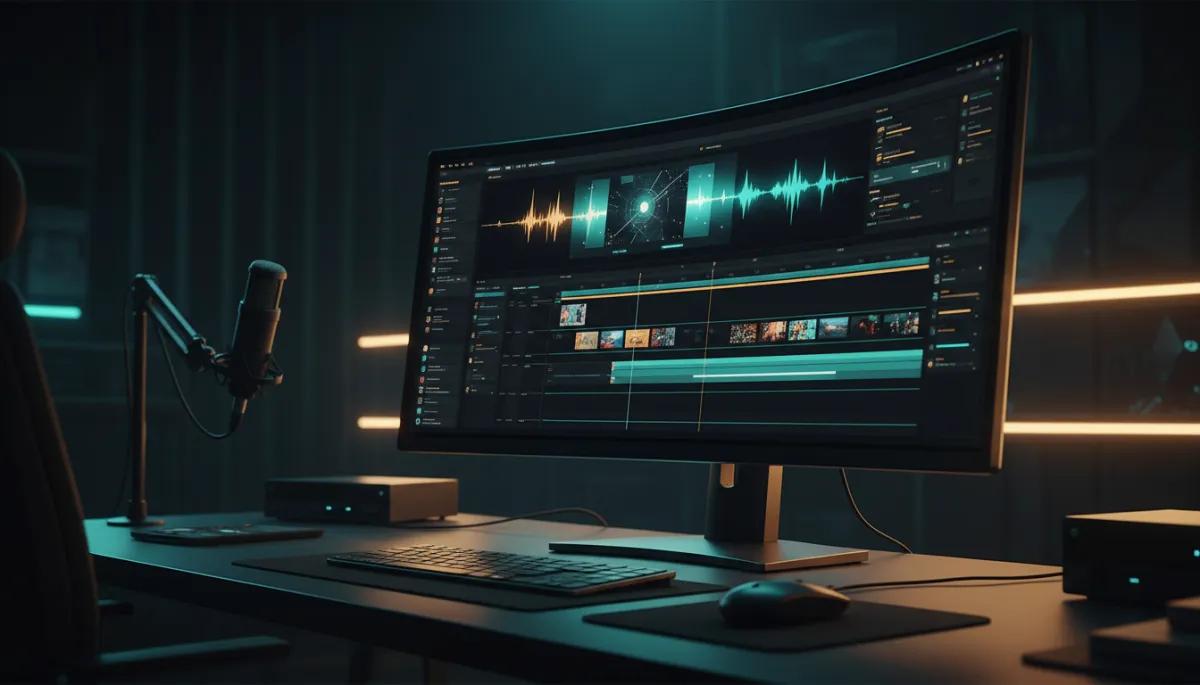
AI Video Agents: Studio-Quality Content Simplified
AI video agents, AI video content creation, AI video tools for small business, automated video editing 2026, content creation automation
AI Video Agents Explained: How Small Business Owners Are Creating Studio-Quality Content Without a Film Crew
You don't need a camera crew. You don't need a studio. You need to understand what AI video agents actually are — and most people still don't. In this guide, I’ll walk you through how these tools work in simple language, and how local business owners are quietly using them to look like they hired a full production team… even when it’s just them and a laptop at the kitchen table.
What Is an AI Video Agent… in Plain English?
Let’s keep this simple. An AI video agent is a smart assistant that handles most of your video work for you. Instead of hiring a scriptwriter, an editor, a caption person, and a social media manager, you use one tool that can:
- Generate ideas and scripts from a topic or keyword
- Edit your video automatically (cuts, clips, captions, B-roll, transitions)
- Repurpose one video into many pieces for different platforms
- Schedule and publish those videos for you
Think of it as a digital “video team in a box.” Modern tools like HeyGen, Pictory, OpusClip, and Google’s newer video features are all racing to become that one agent you talk to that handles the whole workflow. This is where AI video content creation is headed in automated video editing 2026 and beyond: less clicking around, more telling the tool what you want and letting it do the heavy lifting.
1. From Topic to Script: No Blank Page, No Stress
Most small business owners get stuck before they ever hit record. The question is, “What do I even say?” This is where AI video agents shine first: script writing from a topic or keyword.
You type something as simple as:
- “Explain teeth whitening for busy moms” (dentist)
- “3 tips to sell a house faster in Phoenix” (realtor)
- “How to choose the right personal trainer after 40” (fitness coach)
The AI then drafts a short script or bullet points in your tone. You can say, “Make it more casual,” or “Shorten this to 45 seconds,” and it adjusts. No staring at a blinking cursor for an hour. This is the first big win of AI video tools for small business: you finally have a starting point, fast.
2. Auto-Clipping: Turn One Long Video into Dozens of Shorts
Next up: auto-clipping long videos into short viral clips for Reels, Shorts, and TikToks. Tools like Pictory, OpusClip, and newer agent-style platforms scan your long video — a podcast, a webinar, a Q&A, even a Zoom call — and automatically pick the most interesting moments.
- They detect where you make a strong point or tell a story.
- They cut those into 15–60 second clips.
- They size them correctly for each platform (vertical, square, horizontal).
Instead of you scrubbing through a 45-minute video, the AI does the hunting for you. You review the clips, keep the winners, and you suddenly have a week or more of content from one recording session. That’s content creation automation in action.

One long recording can become weeks of short-form content with AI auto-clipping.
3. Captions, B‑Roll, and Transitions — Done for You
Great content still needs polish. In 2026, automated video editing means your AI agent can:
- Add captions automatically so people can watch on mute (huge for social media).
- Drop in B‑roll — stock-style footage that matches what you’re saying (a dentist talking about whitening might show a close-up of a bright smile, for example).
- Smooth out transitions so your cuts don’t feel choppy or amateur.
Older editing software made you do all this by hand. Newer AI video agents — built on the same kind of tech Google, Luma, and Runway are using for big brands — bring that power down to a simple phone app or browser tab for small businesses. You get the “agency look” without paying agency rates.
4. One Video, 20+ Pieces of Content
Here’s where things get fun. A strong AI video agent doesn’t stop at editing. It helps you duplicate and repurpose one video into 20+ pieces of content, such as:
- 10–15 short clips for Reels, Shorts, TikTok, and LinkedIn
- A square version for your Google Business Profile or Facebook feed
- A horizontal version for YouTube or your website
- A text summary for your email list or blog post
Instead of thinking, “I need 20 different ideas,” you think, “I need one solid video,” and you let the AI multiply it for you. That’s the mindset shift that separates overwhelmed creators from the ones who seem to “be everywhere” without burning out.
5. Scheduling and Publishing Across Platforms
The last mile of video is getting it out into the world. Many people still download each file and upload it manually to every platform. With modern AI video tools for small business, your agent can:
- Connect to your Instagram, Facebook, TikTok, YouTube, and LinkedIn accounts
- Suggest posting times based on when your audience is active
- Auto-fill titles, descriptions, and hashtags from your script
You approve the schedule once, and the content rolls out while you’re running your business. This is where content creation automation starts to feel like a real system, not just a cool demo.
Who Is This Actually For?
If you’re reading this, there’s a good chance you fall into one of these groups:
- Local business owners — dentists, chiropractors, realtors, gym owners, med spas, restaurants — who know video works but feel like they can’t keep up with “influencer-level” content.
- Solo content creators and coaches who are tired of spending hours editing when they’d rather be serving clients.
For you, AI video agents are not a “nice to have.” They’re how you compete with brands that have entire marketing teams. The tech giants and big agencies are already using this style of automation. The opportunity now is that it’s finally accessible to you — often right from your phone or browser.
The #1 Beginner Mistake (And the Truth)
The most common beginner mistake I see is thinking you need expensive software or a team to start. You picture a $5,000 camera, studio lights, and a full-time editor. So you do nothing.
The reality in 2026: many of the best AI video agents run in a web browser or a simple app. Tools like CapCut, Canva, HeyGen, and others let you:
- Record on your phone
- Upload the video or paste a link
- Click one or two buttons to generate clips, captions, and posts
You don’t need to “be techy.” You just need a simple, repeatable process. That’s exactly what I help people build inside my training. The AI Secrets Challenge teaches you exactly how to set this up →
What Getting Started Actually Looks Like: 3 Simple Steps
- Pick one “pillar” video per week. This could be a 5–15 minute video answering your most common customer question. Don’t overthink it. Imagine you’re explaining it to a friend across the table and hit record on your phone.
- Feed it to an AI video agent. Upload that video into your chosen tool. Tell it: “Create 10 short clips with captions and simple transitions for social media.” Let it generate, then approve the best ones. This is where AI video content creation starts to feel real — you see how much time you just saved.
- Schedule once, then get back to work. Use the built-in scheduler (or connect to a social media scheduler) and line up your posts for the week. Now your content runs in the background while you run the business.
Bringing It All Together
You don’t need to become a filmmaker. You don’t need to understand the technical side of Google’s latest models, Luma’s agents, or any of the academic research happening behind the scenes. What you do need is a basic understanding of what’s possible — and the willingness to let AI handle the parts of video you don’t have time for.
AI video agents are simply the next step in making high-quality marketing available to regular business owners. If you can talk about your business for a few minutes, you can have a full week of content going out automatically. That’s the power of automated video editing 2026 when it’s pointed at real-world small business problems, not just flashy demos.
If you want help turning this from “interesting idea” into a system that runs every week, that’s exactly what I built my training for. The AI Secrets Challenge teaches you exactly how to set this up → so you can finally show up with consistent, studio-quality content — without hiring a film crew.
– Bison Vazquez
